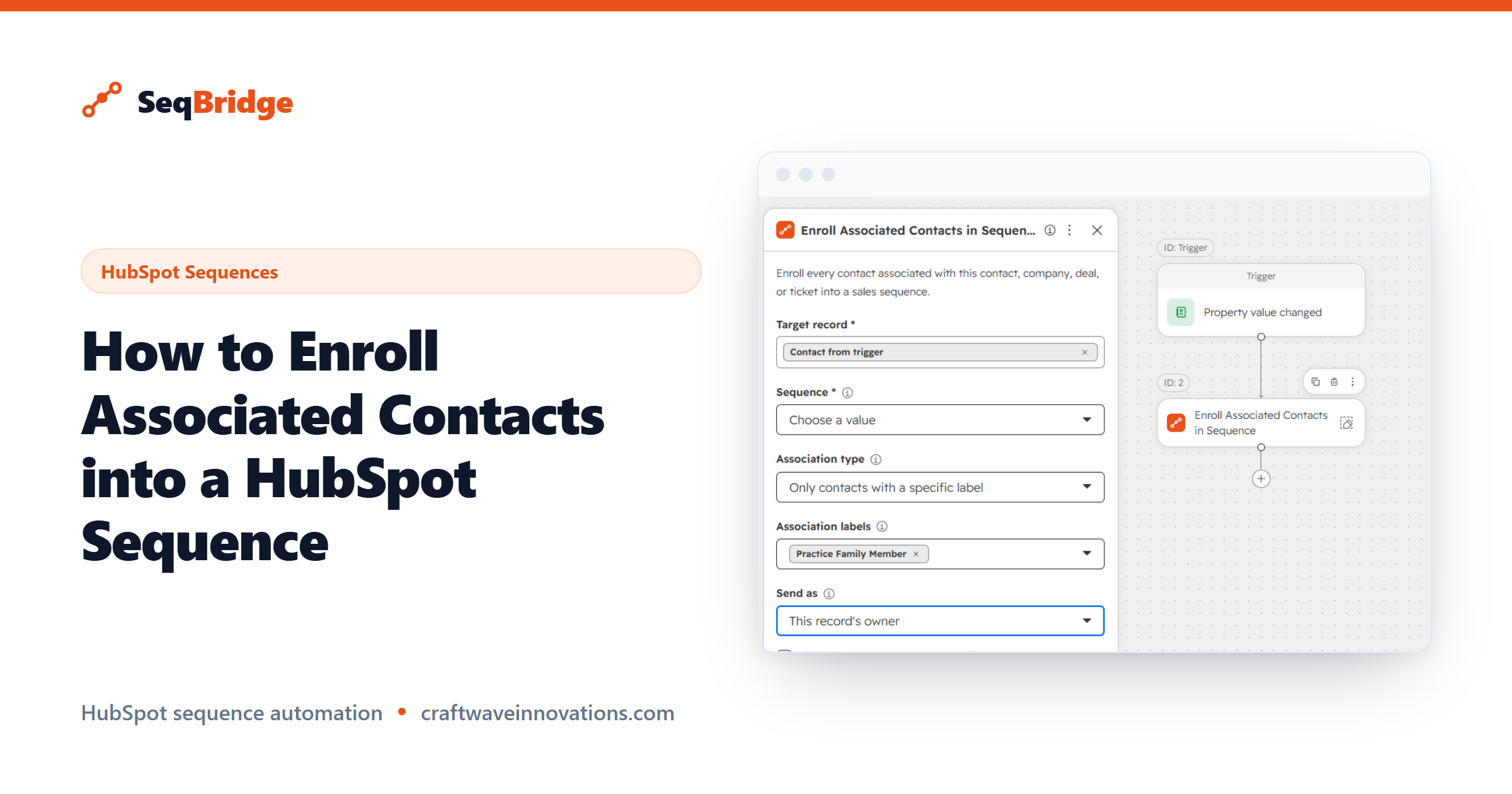
When a deal involves more than one person, knowing how to enroll associated contacts into a HubSpot sequence becomes essential. Most B2B deals are not a single contact; they are a buyer, a champion, a finance approver and more. This guide shows how to enroll everyone associated with a company, deal or ticket in one workflow step, without chasing each record by hand.
SeqBridge is an approved HubSpot Marketplace app built by CraftWave Innovations. It is not affiliated with or endorsed by HubSpot, Inc.
When you need to reach every contact on a deal or company
A quick definition. In HubSpot, sequences are 1:1 personalised sales outreach in Sales Hub, sent from a user's connected personal inbox, that stop automatically when a contact replies. They are built around a single contact at a time.
That single-contact model breaks down in complex sales. If a deal moves to a stage where the whole buying group should hear from you, enrolling only the primary contact leaves the rest in the dark. The champion gets your follow-up; the economic buyer and the technical evaluator do not. You end up manually hunting down each associated contact and enrolling them one by one, which is slow and easy to get wrong.
The need is simple: when something happens on a company or deal, reach every contact attached to it, not just one.
Why a standard sequence enrollment misses associated contacts
HubSpot sequences enroll the specific contact you point them at. There is no native concept of "and everyone associated with this record" built into sequence enrollment. So a standard enrollment, whether manual or automated, acts on one contact.
Associations in HubSpot connect records to each other, for example linking several contacts to one company or one deal, often with labels like decision maker or billing contact. A normal sequence enrollment ignores those links. It does not walk the association and pull in the related people; it just enrolls the one contact in front of it.
That is why reaching a whole buying group natively means repeating the enrollment for each person by hand. The links exist in your CRM, but nothing uses them to drive enrollment.
How to enroll associated contacts into a HubSpot sequence
SeqBridge adds an Enroll associated contacts workflow action that does exactly what the name says: it enrolls the contacts associated with a company or deal, not just a single contact. You add it to a workflow like any other step.
- Install SeqBridge and connect your portal via OAuth.
- Build a company-based or deal-based workflow, or a contact workflow that references the associated records.
- Set your trigger, for example a deal moving to a given stage.
- Add the SeqBridge Enroll associated contacts action.
- Choose the sequence and the sending user, then turn the workflow on.
When the trigger fires, SeqBridge enrolls the associated contacts into your chosen sequence. Enrollment status appears on each contact record, and any failures show with plain-English reasons. The detailed setup is in our documentation, and the home page gives the quick overview of all three workflow actions.
Choosing which association label to use
Reaching everyone is not always what you want. Sometimes you want a specific role, such as the decision maker, and not every contact loosely attached to the company.
That is what association labels are for. HubSpot lets you label associations, so a company's contacts can be tagged by role. When you configure the action, you target the association that fits the outreach, so finance approvers get the finance sequence and champions get the champion sequence, rather than blasting one message at everyone. HubSpot's own documentation on associations explains how labels work.
The takeaway: let your association labels do the targeting, so the right people get the right sequence.
Avoiding duplicate enrollment
The biggest worry with group enrollment is sending the same person into the same sequence twice. A contact who is already active in a sequence should not be re-enrolled, and SeqBridge respects that: a contact already enrolled in that sequence is not enrolled again.
A few habits keep things clean:
- Use precise triggers. Trigger on a clear, one-time event like a deal reaching a stage, so the workflow does not fire repeatedly for the same records.
- Check enrollment status. SeqBridge shows status on each contact record, so you can confirm who was enrolled and spot anything unexpected.
- Match the sequence to the label. Targeting by association label reduces overlap, since each person lands in the one sequence meant for their role.
With those in place, group enrollment reaches everyone it should and no one twice.