The question of HubSpot sequences vs workflows trips up almost every new Sales Hub user, because the two tools look similar on the surface but do very different jobs. This guide explains what each one is built for, when to reach for which, and how they fit together to automate sales outreach.
This guide is the plain-English, honest breakdown. By the end you will know exactly what each tool does, when to use each, and how to make them work together — even if you are on a Professional plan that is missing a key piece of native automation.
The one-line difference: 1:1 sales outreach vs automation
Here is the whole thing in a sentence. A sequence is 1:1 personalised sales outreach sent from one person's inbox. A workflow is automation that runs across your whole database based on triggers.
Think of it this way. A sequence is you, a salesperson, following up with a handful of named prospects as if you typed each email yourself. A workflow is the system quietly doing repetitive work in the background — tagging contacts, assigning owners, sending internal alerts, moving deals — for thousands of records at once.
When you understand that split, the rest of the HubSpot sequences vs workflows question mostly answers itself. The confusion only creeps in because both can send email, so people assume they are interchangeable. They are not.
What sequences are built for
Sequences live in Sales Hub and are designed for one-to-one outreach. When you enroll a contact, the emails send from your own connected personal inbox — the same inbox you reply from — so they look and feel like a message you wrote by hand.
A few traits define how sequences behave:
- They stop automatically when a contact replies. The point is a human conversation, so a reply ends the automated chase.
- They are owned by a sending user. Each enrollment is tied to a specific salesperson's inbox and calendar, which is why personalisation and reply-handling feel natural.
- They have limits. HubSpot enforces daily send and active-enrollment limits to protect deliverability (check your portal for the current figures, and HubSpot's own knowledge base).
Use sequences when the goal is to start or continue a genuine conversation: prospecting follow-ups, post-demo nudges, re-engaging a warm lead. They are a salesperson's tool, not a mass-mailer.
What workflows are built for
Workflows are HubSpot's automation engine, available on Professional and above. A workflow starts from a trigger — a form submission, list membership, a property change, a deal moving to a new stage — and then runs a series of actions automatically.
Those actions go far beyond email. A workflow can set properties, rotate leads to owners, create tasks, send internal notifications, update deals, add delays, and branch down different paths with if/then logic. It runs continuously for anyone who meets the trigger, with no salesperson pressing send.
Workflows are also where your marketing emails and lifecycle automation live. They scale to your entire database, which is exactly why they are not the right place for genuinely personal, reply-driven outreach. The strength — running at scale without a human — is also the reason a workflow email never feels as personal as a sequence step.
HubSpot sequences vs workflows: a side-by-side comparison
Here is the practical comparison most people are looking for when they weigh HubSpot sequences vs workflows:
- Purpose: Sequences = 1:1 sales outreach. Workflows = automation at scale.
- Who sends: Sequences send from a specific user's personal inbox. Workflow emails send from HubSpot on behalf of the business.
- Trigger: A person manually enrolls contacts in a sequence (or a tool does it for them). Workflows fire automatically on triggers.
- Reply handling: Sequences stop when a contact replies. Workflows keep running unless you build logic to stop them.
- Scale: Sequences suit a handful of prospects per rep. Workflows handle thousands of records.
- Hub: Sequences are a Sales Hub feature. Workflows are an automation feature on Professional and above.
- Best at: Sequences = feeling human. Workflows = never forgetting a step.
Notice that none of these points make one tool "better." They make each better at a specific job.
When to use each: a decision guide
When you are deciding, ask one question first: does this need to feel like a person wrote it, and should it stop the moment someone replies? If yes, that is a sequence. If the task is repetitive, rule-based, and should run for everyone who qualifies without anyone watching, that is a workflow.
Some quick calls:
- Following up on a demo, one prospect at a time, from your inbox → sequence.
- Routing new form fills to the right rep and creating a task → workflow.
- Sending a monthly product update to a segment → workflow (marketing email).
- Re-engaging ten named accounts with personal, reply-aware outreach → sequence.
- Making sure every new MQL automatically gets that personal outreach → both, together.
That last line is where most teams get stuck, and it is the most valuable combination. If you are also weighing which plan you need for all of this, our breakdown of Professional vs Enterprise walks through where the feature lines fall.
How to use HubSpot sequences and workflows together with SeqBridge
The dream setup is simple to describe: a workflow detects the right moment — a lead hits a lifecycle stage, a deal stalls, a form comes in — and then automatically enrolls that contact into a personal sales sequence. The automation handles timing and targeting; the sequence handles the human touch.
There is a catch. HubSpot's native workflow action to enroll a contact in a sequence requires Sales Hub Enterprise. On Professional, you can build the workflow and you can build the sequence, but you cannot connect them natively — someone has to enroll contacts by hand.
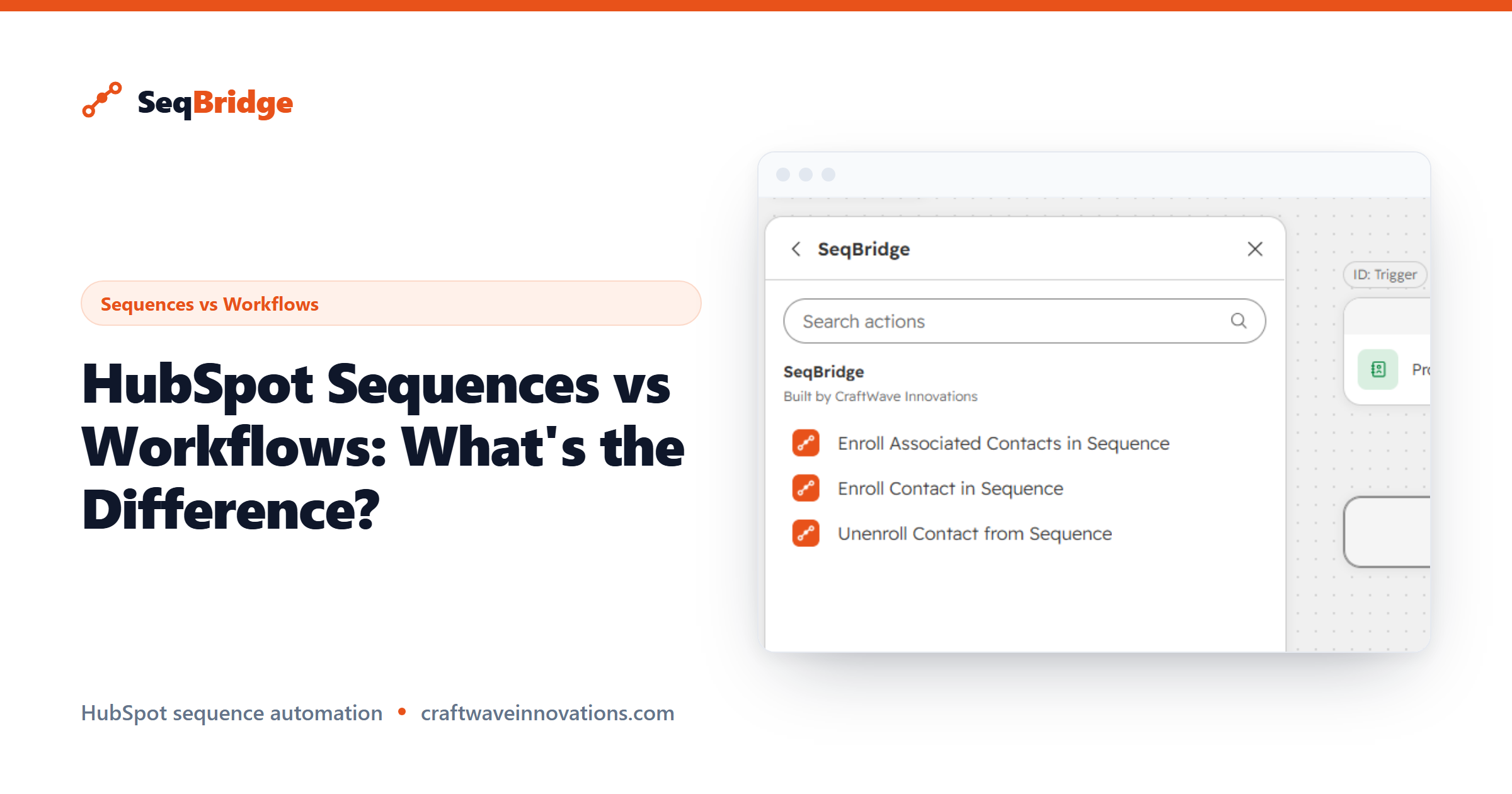
This is the gap SeqBridge fills. SeqBridge is an approved HubSpot Marketplace app, built by CraftWave Innovations (it is not affiliated with or endorsed by HubSpot, Inc.). It adds the workflow actions Professional is missing: Enroll in sequence, Enroll associated contacts, and Unenroll from sequence — that last one being something HubSpot has no native way to do automatically at all.
You choose the sequence and the sending user when you configure the action, it connects securely via OAuth, it shows enrollment status right on the contact record, and it surfaces any failures with plain-English reasons. It never touches your email content. You can start on the free plan with 60 enrollments per month, with all workflow actions included. For setup details, see the SeqBridge docs.